Generate test cases with AI
Point Hawzu at a requirement, a pasted spec, or a PDF and it writes full test cases — steps, expected results and all. What makes it worth trusting is the order: it maps the scenarios worth covering first, grouped by type of risk, and names the requirements nothing was proposed for, so you see the gaps before you commit. Tick what's worth writing and it writes those. Nothing is saved until you accept, and what you accept lands here as ordinary cases: coded, filed, linked, and tagged AI.
Ask the repository instead of building the filter
“Test cases that have never been executed.” “Cases with no requirement linked.” “Shared steps nobody uses.” Type the question the way you would say it and Oracle turns it into a real query against your project, then prints every condition it applied in plain terms — so you can see exactly what it understood, drop one, and re-run for free. It is shown your field names and the values they hold, never what is written inside a case.
A step editor, not a text box
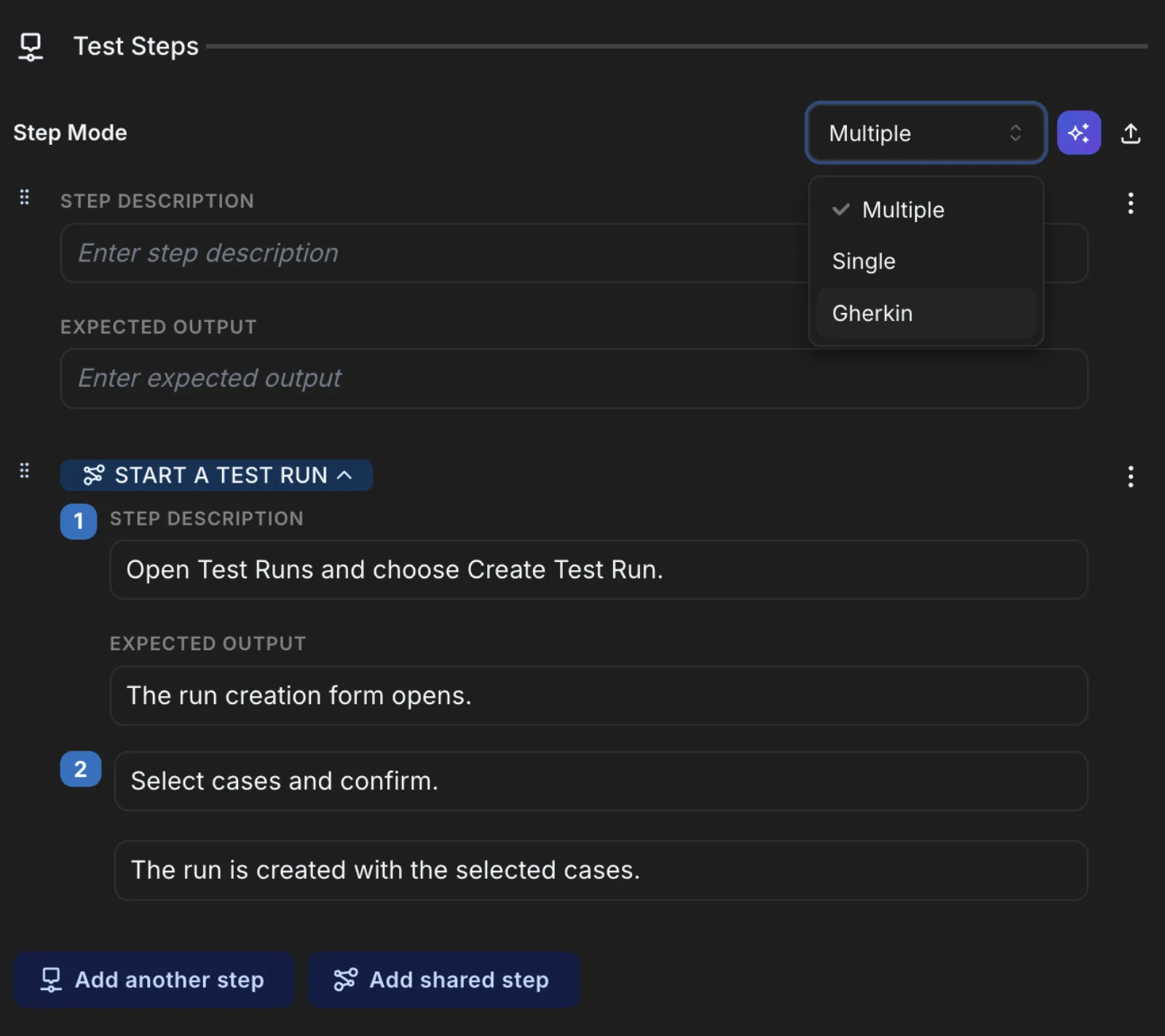
Write test cases as structured step + expected-result rows — each one rich text, with inline images and attachments, dragged into any order. Set preconditions once, and switch a case to a single freeform step or Gherkin/BDD when that fits the work better.
Shared steps — write once, reuse everywhere
Define a login or setup sequence a single time as a shared step, then reference it from any case across the project or the whole workspace. Edit it in one place and every case that uses it updates — and you can see exactly which cases those are.
Parameters & datasets — one case, every data row
Drop a parameter straight into step text, attach a dataset, and the case runs once per row with real values swapped in at execution time. Try to delete a parameter that's in use and Hawzu shows you every case and shared step it would touch before you do.
A repository built for thousands
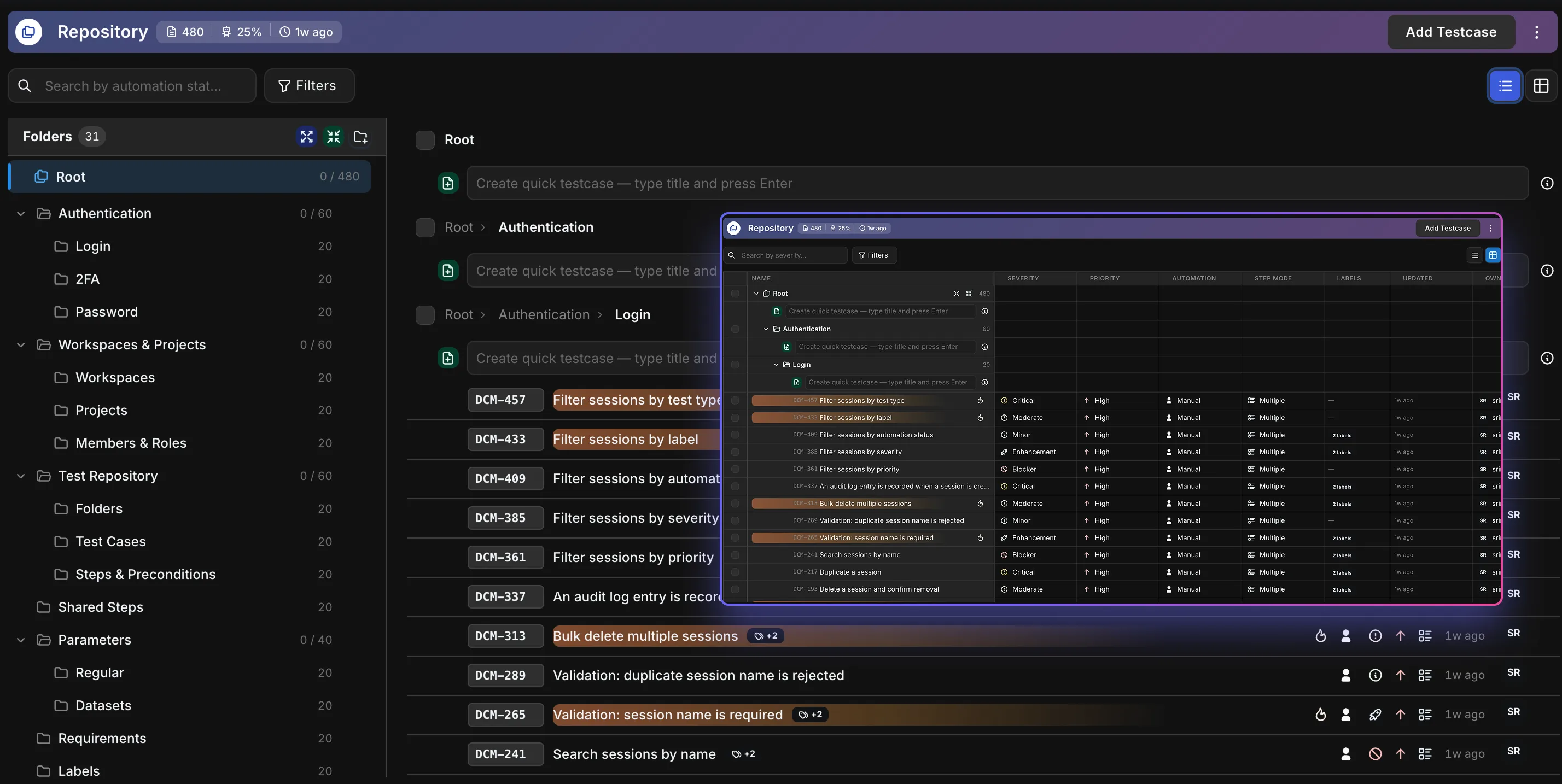
Organize everything in a nested folder tree with custom fields and labels, search and filter across it, bulk-edit or move in place, and restore anything from the recycle bin. Select what you need and spin a test run straight out of the selection, with version numbers and a field-level change history on every case.
A grid that behaves like your spreadsheet did
Switch the repository to Table view and it works the way you expect: drag columns wider, reorder them, pin the ones you always want, and add a hidden column back from the header. Your layout is saved to your account — not the browser, not the project — so it follows you everywhere.
Dynamic & hybrid suites
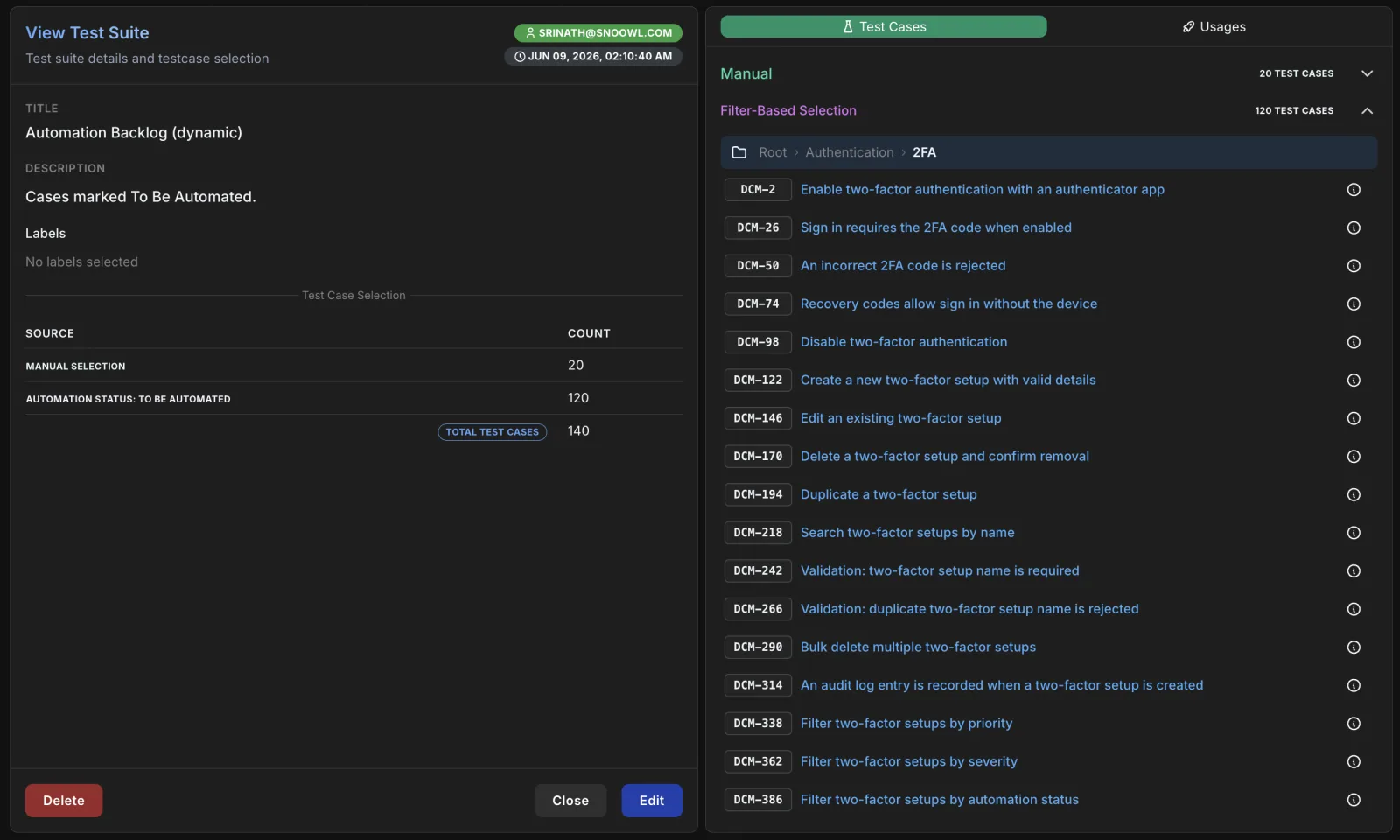
Build a suite by hand, by filter, or both. A dynamic suite is a saved query — “all high-priority checkout cases” — that re-populates itself as the repository changes, so a suite is never quietly out of date. Hand-picked cases and live filters sit in the same suite.
Know what's automated and what isn't
Automation status is a real field on every case, not a label you invent — Manual, To Be Automated, Automation In Progress, Automated. Sort the column, filter the repository down to it, search on it, and read it off a folder's stats to see which corners of the suite are still hand-run.
Run them with discipline
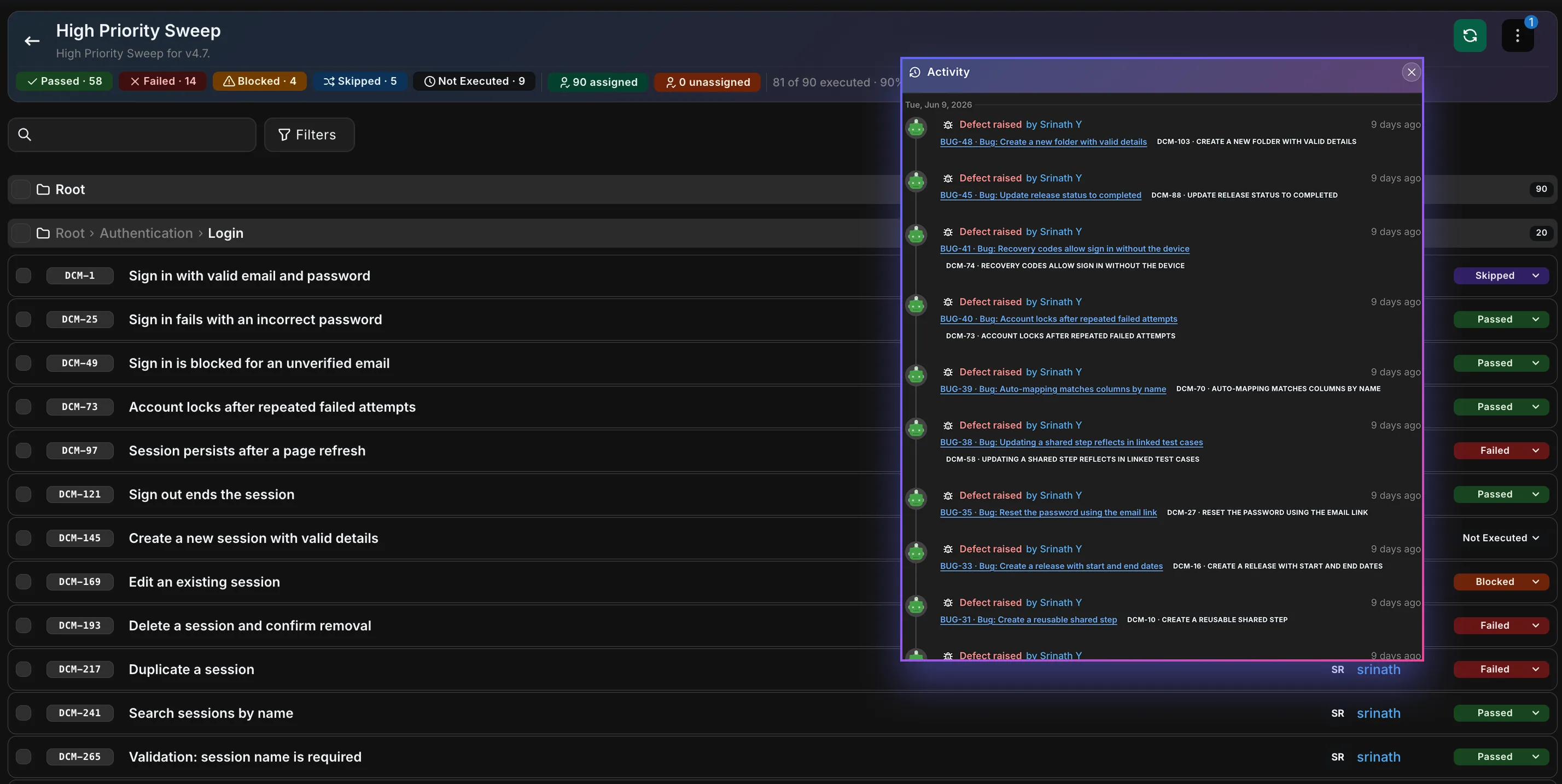
Pull cases into a test run or a release execution, then let Smart Assign hand them out to the people who know them best — who wrote a case, who ran it before, and which folders they work in. Record per-step results with evidence and time spent, and when a pulled-in case changes, Hawzu flags the drift and lets you re-sync.
Find the bugs nobody wrote a test for
A bug found once and never covered can be found again. Defect coverage gaps lists every defect with no test case linked — one tied only to a test run or a requirement still counts — filter it down by severity, and turn each into a test case in a click, pre-filled from the defect and linked back automatically.